You can customize the name displayed in the emails and SMS sent to your recipients, instead of your DPD account name. This option can be configured by the account administrator from the account number details page.
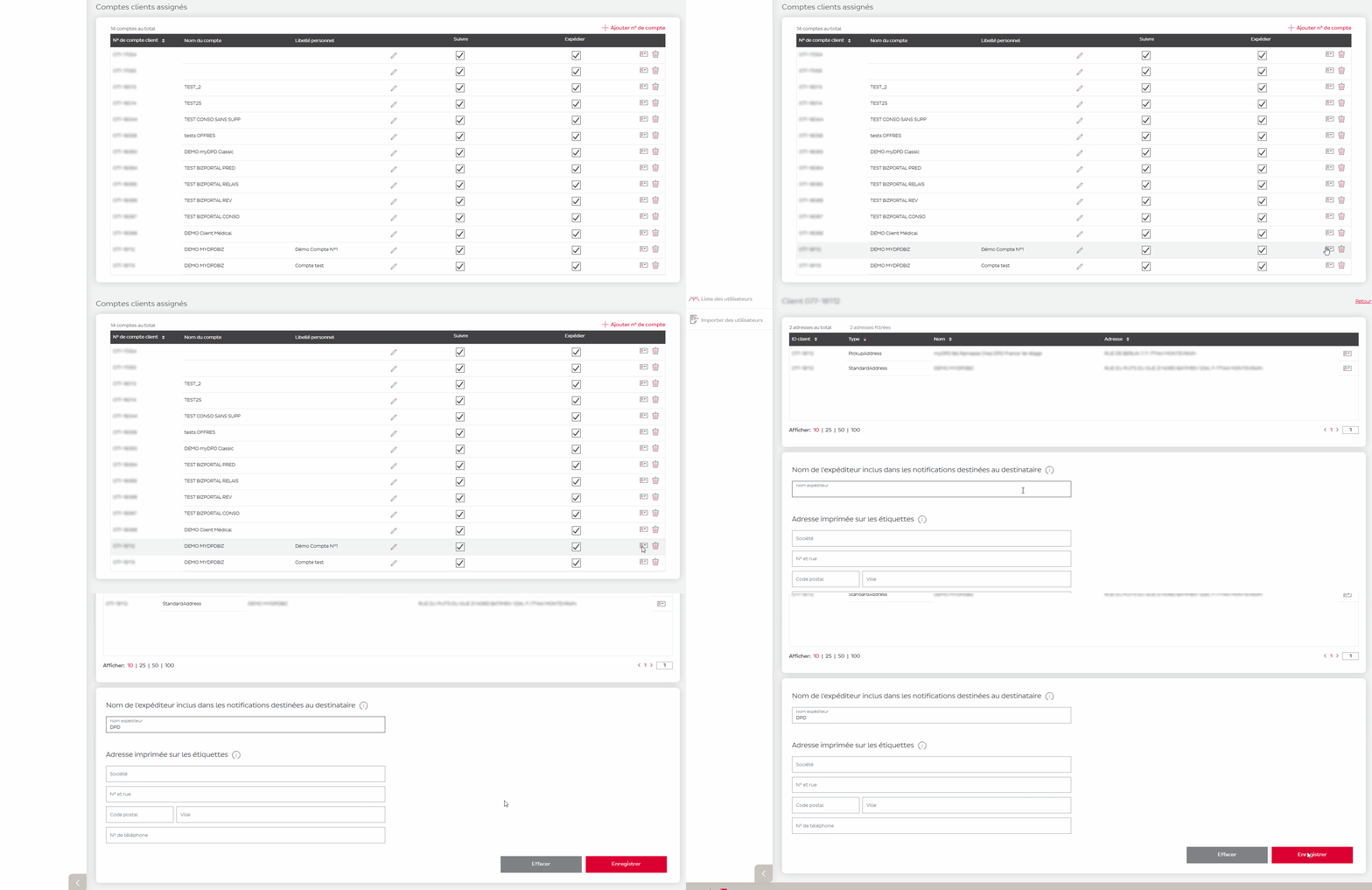
The sender name is the name displayed in the email and SMS notifications received by your recipients during parcel delivery. You can customize it to communicate under your brand name rather than your DPD account name.
This feature is only available to account administrators.
To configure the sender name in notifications:
Go to the ‘Settings’ section
Click on the ‘Details’ icon for the relevant account number.
In the "Sender name included in recipient notifications" field, enter the desired name (20 characters maximum).
Click Save.
Parcel delivery for businesses and private customers / How do I customize the sender name displayed in recipient notifications?