 Guest
Guest




How can we help you?
 Filter
-
Empfangen - Paket empfangen / umleiten

 Clear filters
What happens if I am not at home for a delivery?
If we miss you and you have not given a drop-off okay, you can use the parcel info card or Predict to track and redirect your parcel, e.g., to a neighbor or parcel shop.
Why is my parcel stuck at the parcel delivery centre?
The transit times of your parcel is delayed due to delivery issues or high volume. Check tracking again tomorrow, usually no action is required.
My parcel is not arriving. What can I do as a recipient?
Check your parcel status: 'Order data transmitted' means the sender has not handed it to DPD yet. Contact the sender or DPD if the parcel is delayed.
My parcel was delivered, but it is not here. Where is it?
When you cannot find your parcel, check with a neighbor, at the drop-off location, or the parcel shop. See detailed tracking for exact delivery information.
What is a deposit okay / a drop-off okay?
With a drop-off okay you allow the DPD driver to leave your parcel at a location specified by you, for example in the garage. Please bear in mind that the drop-off location must be freely accessible to the driver.
You can issue a drop-off okay once for a parcel in your parcel tracking. We will then leave this parcel and all other parcels delivered to you on the same day at your desired location. You are welcome to save your deposit authorisation as a permanent delivery preference for all parcels. We will then also leave all future parcels at the agreed location if you are not at home.
Further change options for your desired delivery in myDPD and in the DPD App:
- Specifying a neighbour
- Specifying a Pickup parcelshop
- Changing the day



 Filter
-
Versenden - Maße und Gewichte
Clear filters
What is the maximum shipping weight for my parcel? How heavy can my parcel be?
Parcels delivered directly to the consignee can be shipped up to a weight of 31.5 kg. When sending parcels to a Pickup parcelshop, the maximum weight is 20 kg. If our subsequent measurements show that the parcel exceeds the weights or dimensions,it is possible that you will be invoiced for additional costs.
How do I calculate the size of my parcel?
You can calculate the size of your parcel by adding together the shortest and the longest side of the parcel. In myDPD and the DPD App you can easily calculate your parcel size by entering your parcel dimensions (length x width x height).
What does "girth" mean?
The girth is the maximum permitted parcel size. It is calculated as follows: (height + width) x 2 + length of the parcel in cm. You can calculate this conveniently online in our girth calculator.
What is the volumetric weight? And how do I calculate it?
The volumetric weight indicates the amount of cargo space a parcel takes up and is calculated for DPD Express parcels, which are transported by airfreight. The volumetric weight is only calculated if it exceeds the actual weight. You can calculate the volumetric weight conveniently in the DPD volumetric weight calculator. Or with the formula: Length (cm) x Width (cm) x Height (cm)/5,000 (cm³/kg).
What is the maximum shipping length?
The maximum shipping length for parcels with delivery directly to the receiver is 175 cm. When shipped to a pickup parcelshop, the maximum shipping length of a parcel is 100 cm.
Tips and tricks
-

The DPD App
Installing and using our app is as simple as this – with explanatory videos. -

Express shipping
There are times when fast delivery is essential. Opt for our Express service - domestic and international. -

Packing tips & shipping materials
Packing goods in a parcel isn’t rocket science, but there are a few things to keep in mind to make sure that shipping your parcel runs smoothly.
Tips and tricks

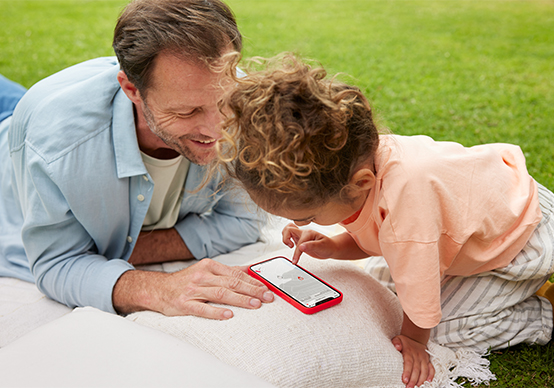
The DPD App
Installing and using our app is as simple as this – with explanatory videos.
Express shipping
There are times when fast delivery is essential. Opt for our Express service - domestic and international.
Packing tips & shipping materials
Packing goods in a parcel isn’t rocket science, but there are a few things to keep in mind to make sure that shipping your parcel runs smoothly.
Filter
-
Pickup Paketshop - Allgemeines und Service
Clear filters
How do I file a complaint?
Complaints depend on your role: recipients must contact the shipper, while business customers submit claims via the myDPD complaint form.
If I wish to send a parcel from a Pickup parcel shop or parcel locker, what dimensions are accepted?
Please note the following maximum weights and dimensions when shipping:
-
Pickup parcel shop: 20 kg, length 100 cm, girth 250 cm
-
Parcel locker: 20 kg, length 61 cm, width 44 cm, height 37 cm
Here you will find our handy parcel size calculator.
Where can I find the nearest DPD parcel shop or parcel station?
Use the DPD parcel shop finder to locate all parcel shops and stations near you, including opening hours. Simply enter your address or postal code.
What can I do if the opening hours of a Pickup parcelshop do not match those shown on the website?
Please feel free to contact us, we will check your reference and update our data.
Filter
-
Entwickler - IT-Anbindungen
Clear filters
What interfaces does DPD provide?
DPD offers SOAP-based web service interfaces. Using the DPD Converter, data can be exchanged with DPD in EDIFACT formats such as IFTSTA or IFTMIN, or in an individual file format such as XML, CSV, ASCII, SAP iDoc, Excel, VDA or PDF.
What materials management systems are supported by DPD?
DPD supports all merchandise management system which enable an exchange of information via CSV, MPSEXPDATA or XML.
Which DPD shipping solution is best for me?
DPD offers locally installable software tools and web-based interfaces. Unfortunately we can\'t give a general recommendation. We have compiled an overview of our diverse solutions for you on the IT connections page.
What plugins does DPD provide?
In order to professionally connect your shop to the DPD system, DPD provides various plug & play solutions from its partners. A list of the possible plugins and further information can be found in the Overview.
How does the XML interface have to be structured?
You will find examples and detailed information on the structures of the interfaces in the Developer area.
Filter
-
Unternehmen - Karriere
Clear filters
What does DPD expect from applicants?
First and foremost, we want to get to know you - the person behind the resume - and at the same time give you the chance to get to know us as a company and as an employer. In this way, we can determine together if we are a good fit.
Our advice: Be yourself. Prepare yourself. Be curious and ask questions. Show us why you want to be a part of DPD.
Why should I apply for a job at DPD?
We are always setting ourselves new goals to grow. We know our potential. We all have a thirst for knowledge and a desire to develop ourselves further!
That's why there are currently so many innovation and change projects at DPD. We all want to get something going as one big team, go on a joint learning journey and drive DPD forward.
With several thousand employees at numerous locations throughout Germany, our company may be the size of a corporation, but at the same time it has the culture of a med-size company. We are a team that gets things done.
And that includes giving each other open and honest feedback. We do this, for example, in our regular employee surveys, which show us where we can still improve.
See for yourself: Take a look at our content on the careers page, read our reviews on kununu and get to know us personally.
How do I apply for a job at DPD?
You can easily apply by using our online form. Simply look in our DPD Job Finder for a suitable position for you.
Which documents should be included in my application?
To give us a clear picture of you, we need your CV and relevant references. You can easily upload all documents in the online form. We only need a cover letter from you if you are applying for an apprenticeship - for all other positions we do not need a cover letter from you.
Which qualifications do I need to apply?
Whether you are a specialist or manager, a career changer or a graduate: the important thing is that you feel addressed by our job advertisement and that you can imagine working with us in that position. And even if you can't tick every single one of the requirements we've described: submit your application anyway - after all, you can learn (almost) anything!

Application tips – what is especially important to us
If you follow these tips it will help to make your application to DPD a successful one. We look forward to getting to know you!
Top 5 tips on applying
-
Use our online application process.
-
Send us your application documents in PDF format (max. 3 MB).
-
Your application should contain a letter, CV and copies of your reports/references.
-
Let us know what attracts you most to the advertised position, and what your qualifications are.
-
We'd also be interested to learn some personal details about you, e.g. what your hobbies are.
Filter
-
myDPD - Allgemeines und Service
-
myDPD Business - Abholung
-
myDPD Business - Adressbuch
-
myDPD Business - Auftrag importieren
-
myDPD Business - Auftrag starten
-
myDPD Business - Benutzerverwaltung
-
myDPD Business - Paketschein drucken
-
myDPD Business - Paketverfolgung
-
myDPD Business - Profil
-
myDPD Business - Reklamation
-
myDPD Business - Retoure
-
myDPD Business - Rückholung
-
myDPD Business - Versandliste drucken
-
myDPD Business - Zustellhindernis
-
myDPD for Business
Clear filters
How do I arrange a pickup as a business customer?
A pickup can be arranged in two ways: Automatically when printing a label in myDPD or manually on your dashboard via "Start Order" > "Order a pickup".
Can I import orders from eBay into myDPD (for business customers)?
Ja, verknüpfen Sie dazu einfach Ihren eBay Account in Ihrem myDPD Profil.
As a business customer, where do I find my invoices?
All invoices are available for download in your myDPD profile under “Profile > My Account”.
When will be a return in myDPD (for business customers) picked up from my customer?
The return you have ordered must be handed in by your customer for dispatch at a parcel shop or your customer can hand it to the parcel driver the next time they come for a pick-up.
How do I print a parcel label in myDPD (for business customers)?
In the "Parcel label print" column of the "Start order" menu item you can print already created orders as a parcel label.
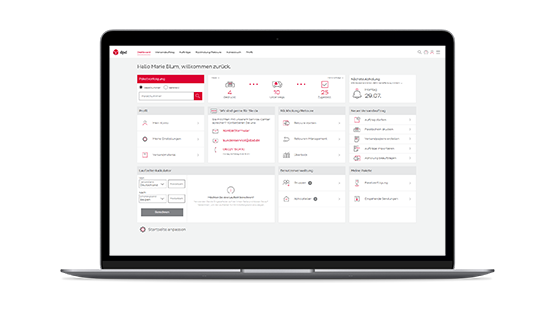
Help and FAQs for business customers
Help and FAQs for business customers
We have collectedinformation and instructions for shipping with myDPD for you.